4K · 10-bit HLG · Android 13+
Shoot 4K on Android.
Edit in Final Cut Pro.
Capture 10-bit HLG with eye-detection autofocus and manual camera controls. Transfer your original files by USB and open them in Final Cut Pro without transcoding. PrimeCam: Cinema Camera, by Ryabinski Labs. Built for compatible Android 13+ phones.
Free early release today. Free at 1080p, one-time 4K unlock coming next.
Recording stays on your phone. No Android INTERNET permission.
Demo
CodecHEVC Main 10
Resolution3840 × 2160
Rate24 fps
ColourRec. 2020 HLG
AudioAAC 48 kHz
ContainerISO media .mov
00Pricing
Free at 1080p.
Unlock 4K once.
The public Google Play release is currently free to use. We’re testing a new version that stays free permanently at 1920×1080 — the whole camera, 10-bit HLG included — with a one-time unlock for 3840×2160.
Shoot a take at 1080p, check your phone and bring the original into your edit before you decide anything. Follow the Android-to-Final-Cut guide.
This pricing is coming next. The 4K unlock is not yet available in the public release.
Planned one-time 4K unlock
$19.99USD · one payment
- 1080p recording stays free, with no time limit and no watermark.
- 10-bit HLG, every frame rate and every control, at both resolutions.
- No subscription. No trial to remember. No automatic charge.
- Everything you have already recorded stays accessible.
The unlock raises the recording ceiling to 4K and nothing else. The new policy will apply to existing users too. Purchases and restoration will use Google Play; your local price will appear before you confirm payment.
01Offline
Your footage stays on your phone.
Recording and subject detection run on your device. PrimeCam does not request the
Android INTERNET permission.
There is no PrimeCam account, cloud sync, in-app analytics or crash-reporting SDK.
Subject-detection models are bundled with the app.
In the version being tested, Google Play handles purchases and restoration through its own services, which use an internet connection. Recording remains offline and no footage is sent through billing. Google Play also provides aggregate app diagnostics. Read the privacy details.
You do not have to take that on faith. Pull the app and read its manifest.
Public build 1042 · permission check
$ adb shell dumpsys package com.primecam | grep -A8 'requested permissions'
    requested permissions:
      android.permission.FOREGROUND_SERVICE_CAMERA
      android.permission.POST_NOTIFICATIONS
      android.permission.FOREGROUND_SERVICE
      android.permission.BLUETOOTH_CONNECT
      com.primecam.DYNAMIC_RECEIVER_NOT_EXPORTED_PERMISSION
      android.permission.CAMERA
      android.permission.FOREGROUND_SERVICE_MICROPHONE
      android.permission.RECORD_AUDIO

# Eight, in the order the system prints them. The com.primecam one is not a
# capability the app asks you for: androidx declares it in every app it is
# linked into, so a library can register a receiver that only code signed
# with the same key may reach. INTERNET is absent.
02The file
Final Cut Pro opens the original.
Not a converted copy. Drop a clip into a library set to automatic colour and Final Cut tags it Rec. 2020 HLG on its own, offers to switch the library to wide-gamut HDR, and cuts the file PrimeCam wrote — byte for byte. No optimised media, no proxies.
Tagged, not guessed
Every clip carries the full colour triple — bt2020nc /
arib-std-b67 / bt2020 — so the NLE
never has to infer what it is looking at.
hvc1, not hev1
The HEVC sample entry is the one Apple’s stack actually accepts, in a .mov file branded as what it is. This is the difference between a clip that plays and a clip that argues.
24, and it says when it isn’t
PrimeCam targets 24 fps, not 23.976 wearing a costume. If the sensor cannot hold the rate you asked for, the strip says NOT AT RATE and names the reason. Measured clips at v0.1.0 average marginally under nominal, and the sidecar still records the rate you asked for rather than the one achieved — a known issue, not a rounding convention.
All of that is about the file. Getting it across is its own small problem, and it has two traps in it: Final Cut Pro lists an Android phone under CAMERAS and then cannot read it, and one Android setting re-encodes video on its way off the phone. The three-minute version, with screenshots →
03Camera
Primes, not a zoom slider.
Three real focal lengths, named in millimetres the way a lens is. The rail says which glass you are on and what the stabiliser is taking off the edges.
13mmUltrawide
24mmWide
104mmTele 5×
It focuses on the eye. Then it tells you whether it really did.
Eye-detection autofocus — Eye AF — runs eye, then head, then body. It is the ladder professional stills and cinema bodies focus by, and historically it was a thing you bought a mirrorless or cinema body to get. PrimeCam runs that ladder on the phone — the nearer eye by its own coordinate, not the middle of a face box. Then it does the part the expensive cameras still do not: it names the rung it is actually on. A reticle reading TRACKING for everything hides the moment the eye is lost and the point slides onto a chest. EYE, FACE, BODY and NO SUBJECT cannot. It climbs the same ladder for animals, and the whole of it runs on this phone — a camera with no network permission could not send a face anywhere if it wanted to. It follows the subject’s eye, not the operator’s gaze: this is eye-detection autofocus, not eye tracking.
EYEclosest, sharpest
FACEeye lost, head held
BODYturned away
NO SUBJECTholding a place, honestly
Every take remembers itself
A JSON sidecar per clip: lens, focal length, rate, stabilisation and its measured crop, bitrate, audio source and device, and every automatic action the camera took while you were rolling — with the second it happened.
Monitoring that earns its pixels
Waveform, false colour and focus peaking, with a shutter-angle and ISO readout that stays legible in a greyscale photograph of the screen.
It tells you when it is too dark
The stabilisation ladder greys out the rungs the light will not support and says why, rather than letting you shoot an unusable take and find out in the edit.
04Screens
What you actually look at.
Real frames off a Pixel 10, not renders. Every number in them was put there by the camera while it was running.
ready
Before you commit to anything.
Every number the camera will write is on screen before the take starts — rate, shutter, ISO, white balance, and how many minutes the free space really leaves you.
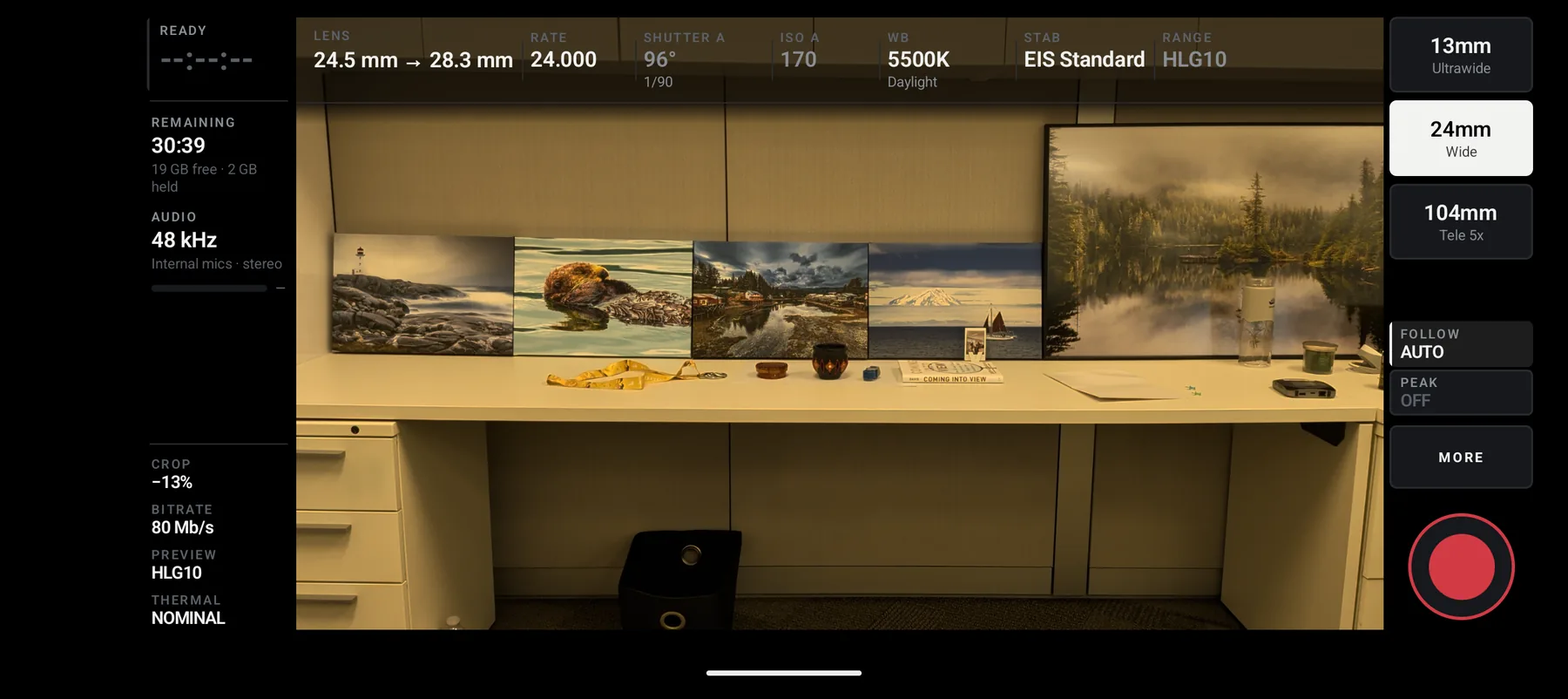
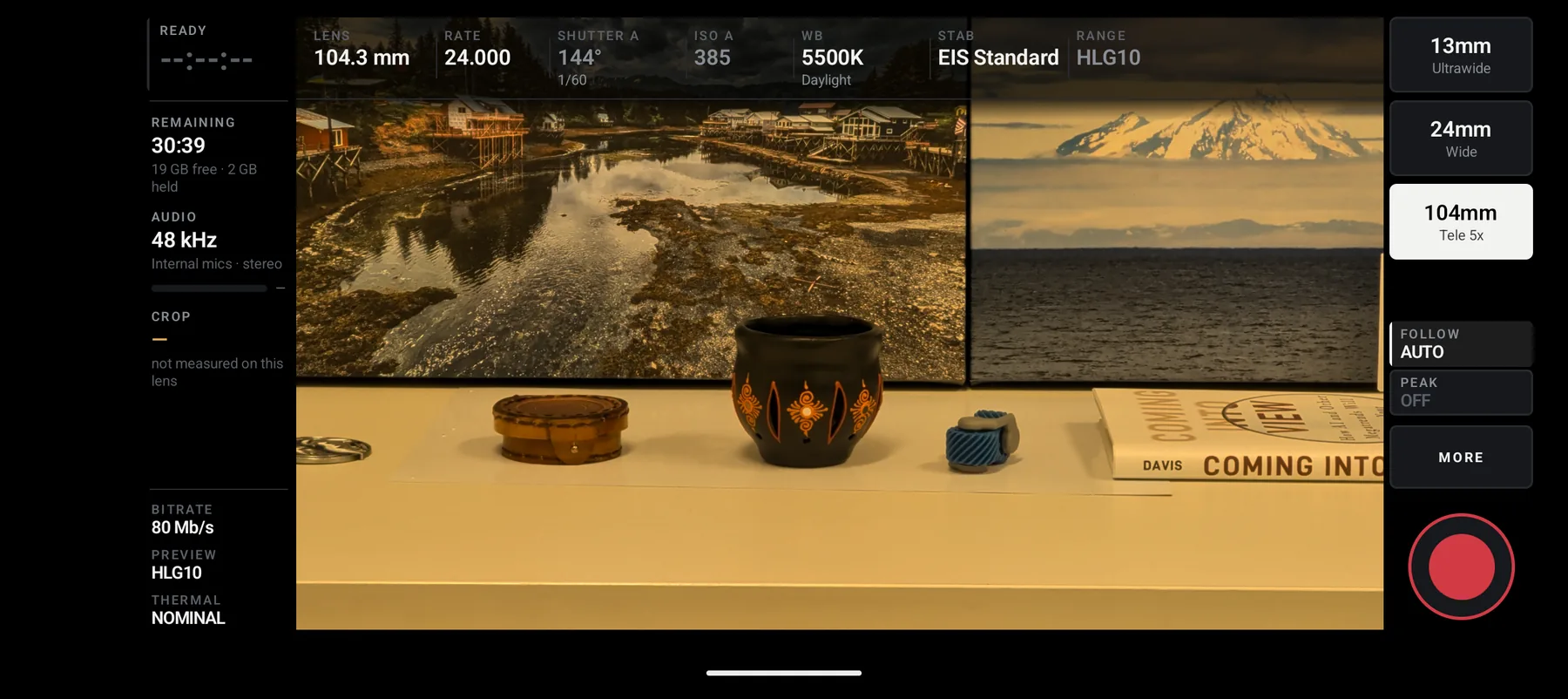
104 mm · tele
Three lenses, named by what they are.
The rail switches the physical camera. It does not crop the wide one and call it zoom.
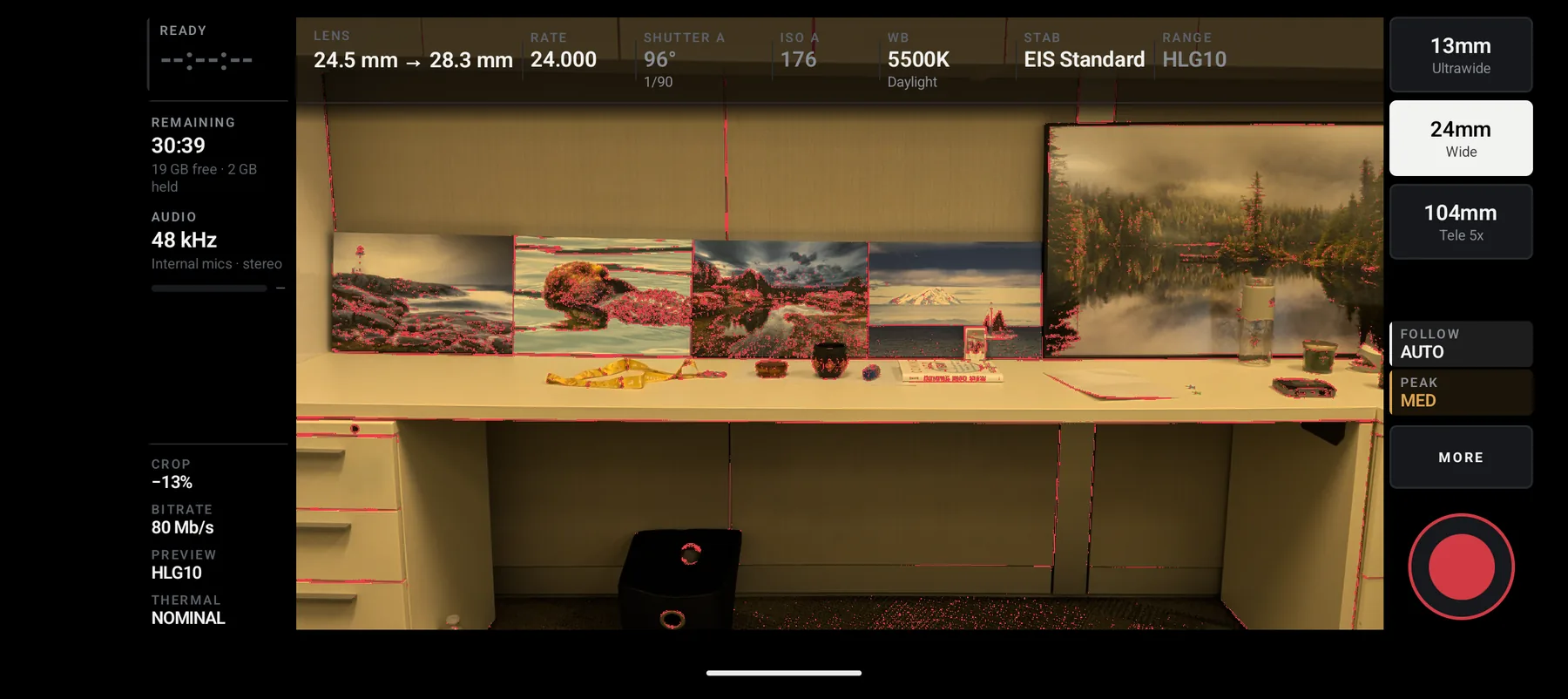
focus peaking
See what is sharp, not what looks sharp.
Red marks the edges the sensor actually resolved. Tapping PEAK cycles the strength.
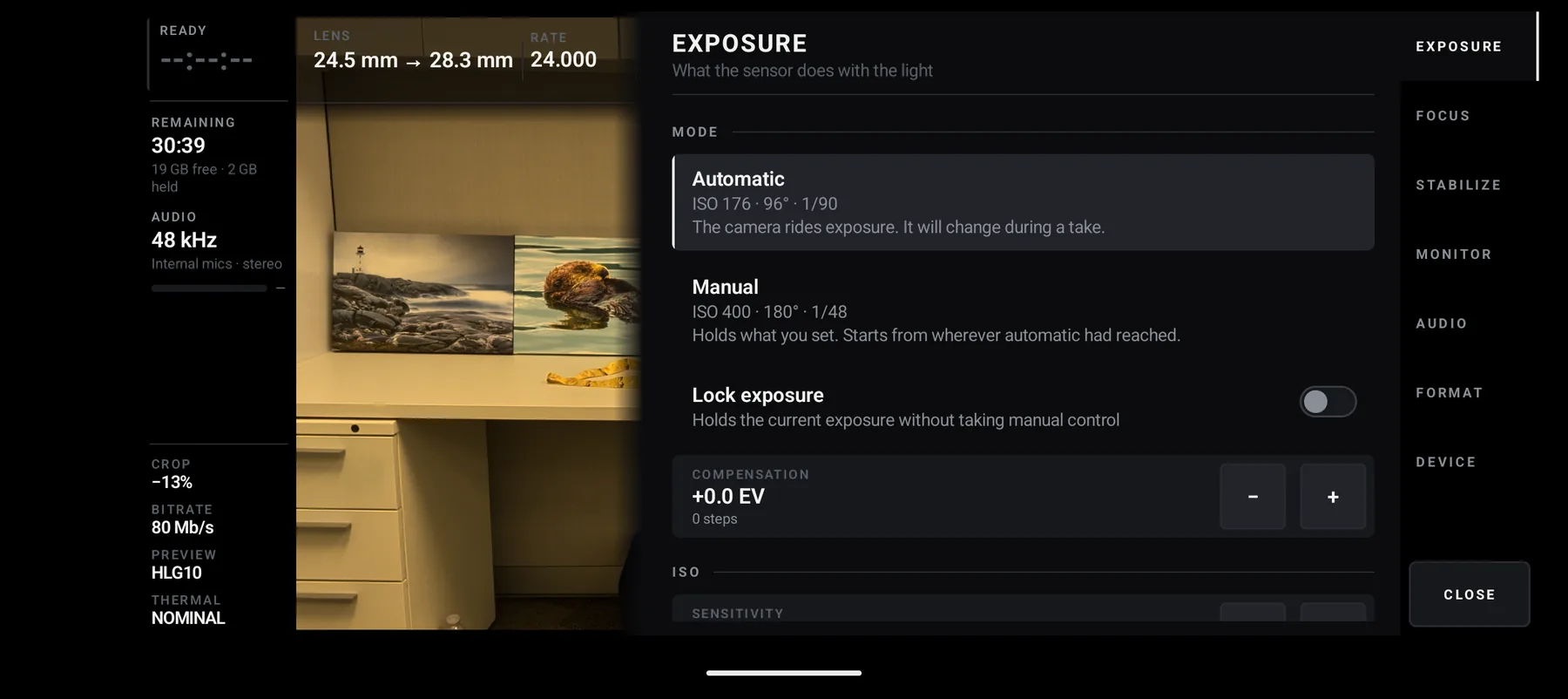
exposure
Manual when you want it. Automatic when you don’t.
Each mode says what it will do to a take before you commit to it, in words rather than icons.
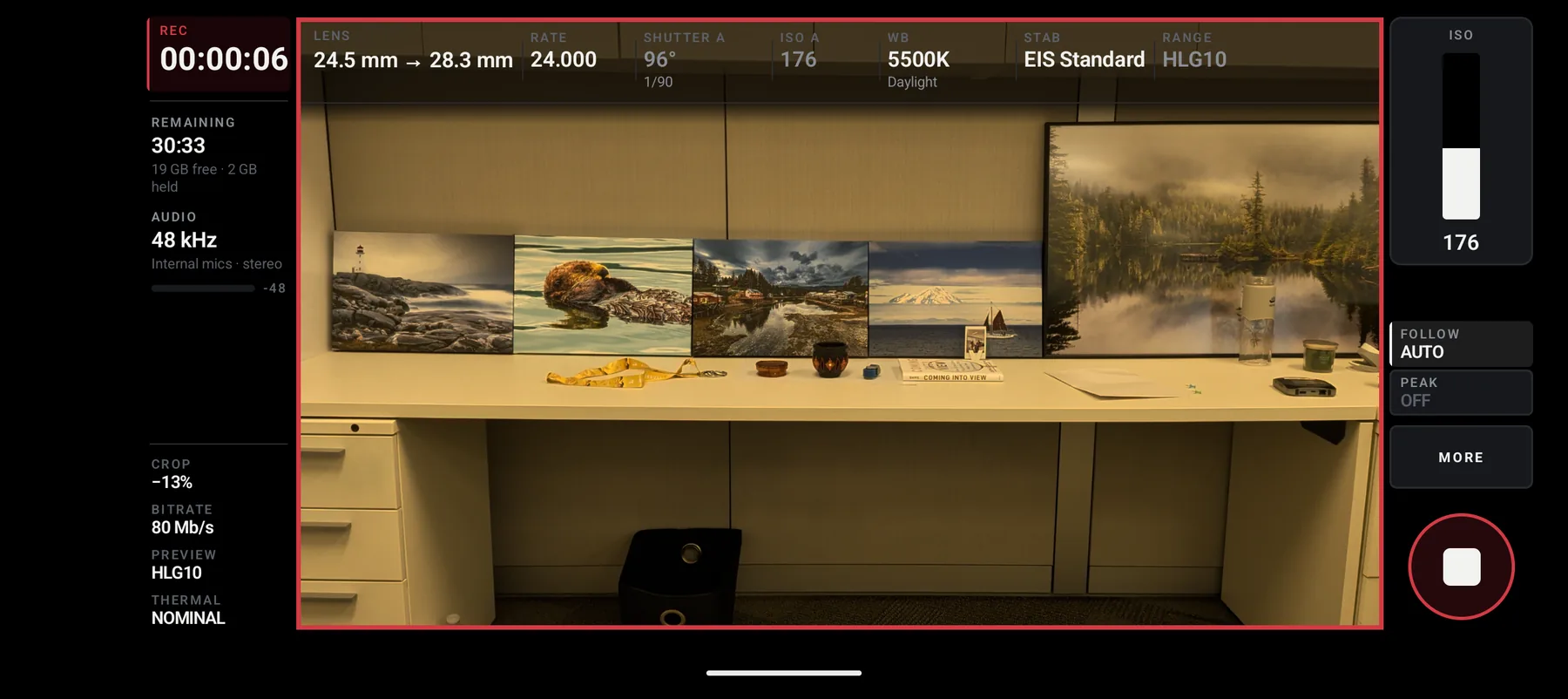
recording
Rolling.
A red frame, a timer, and the minutes left counted against the free space that is really there.
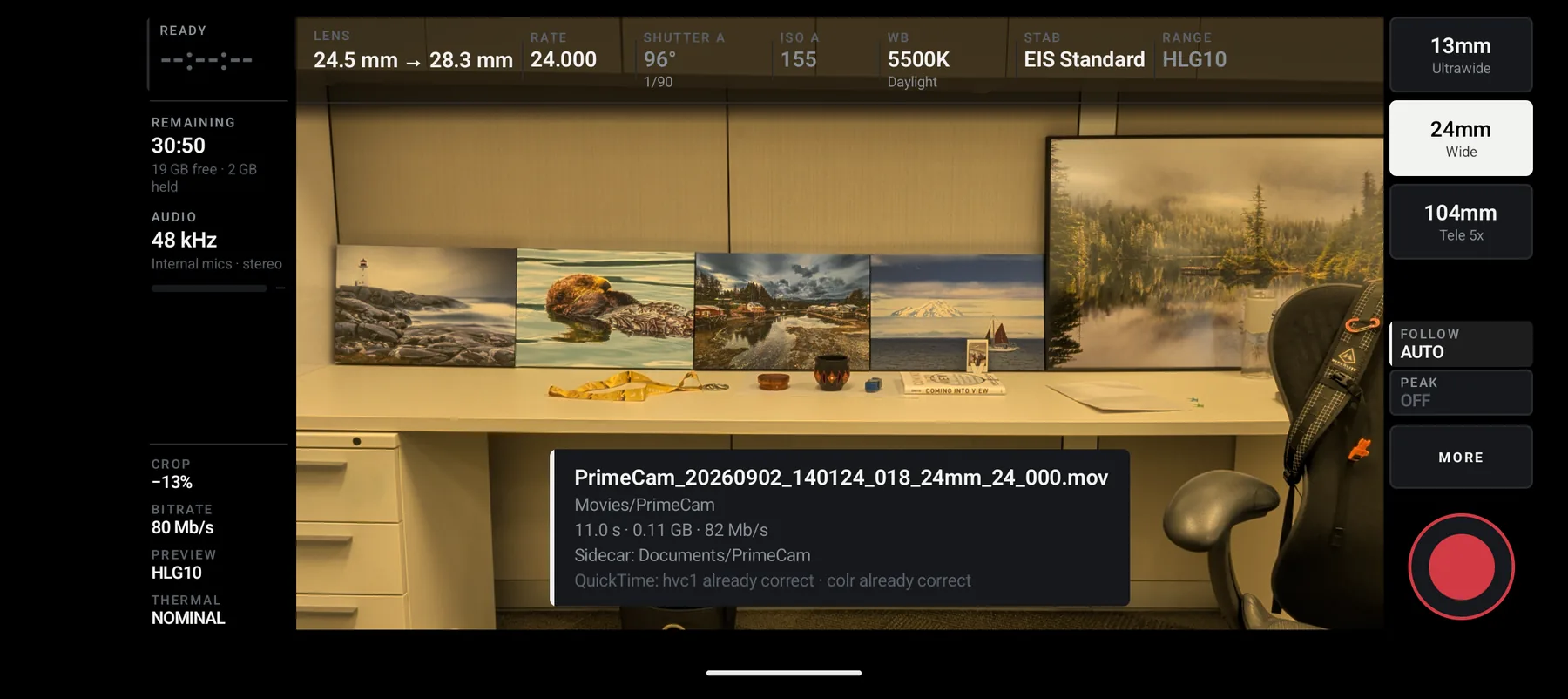
after the take
It tells you what it wrote.
Name, place, duration, size, the bitrate it actually achieved, both places the record went — and the two tags an editor cares about, confirmed on the way out.
05The test
Check your phone before your first shoot.
- Required
- Android 13 or later, with camera support for PrimeCam’s 4K 10-bit HLG recording mode. Android version alone does not establish compatibility.
- Reported testing
- The developer reports testing on Pixel 11, Pixel 10 Pro and Pixel 10. Results depend on the lens and recording mode; these reports are not certification of every mode.
- Pixel 9a limitation
- Developer testing on 15 September 2026 found that Pixel 9a does not support 10-bit recording in PrimeCam. It is not supported for the current 10-bit HLG recording mode.
- Other reports
- Earlier testing includes Pixel 10 Pro XL and Pixel 6a. The Pixel 6a billing-test device reported no HLG10 support on its selected lens. A Samsung phone was also tested on 15 September 2026, but its model was not recorded; this does not establish compatibility for other Samsung phones.
Version 0.1.0 — early release. Check recording and import on your own phone before relying on it.
A take is written as a spanned clip — numbered parts of a few seconds each, each one
finished as it is written — so if the app stops unexpectedly you lose the last few
seconds rather than the whole take, and the parts carry the take’s name and import as
one clip. That is a floor on what a crash costs, not a promise that nothing is lost:
do not shoot anything irreplaceable on it yet.
Install from Google Play
available on Google Play